Codes stay on your phone.
The extension asks. You tap once. The code fills in, then expires.
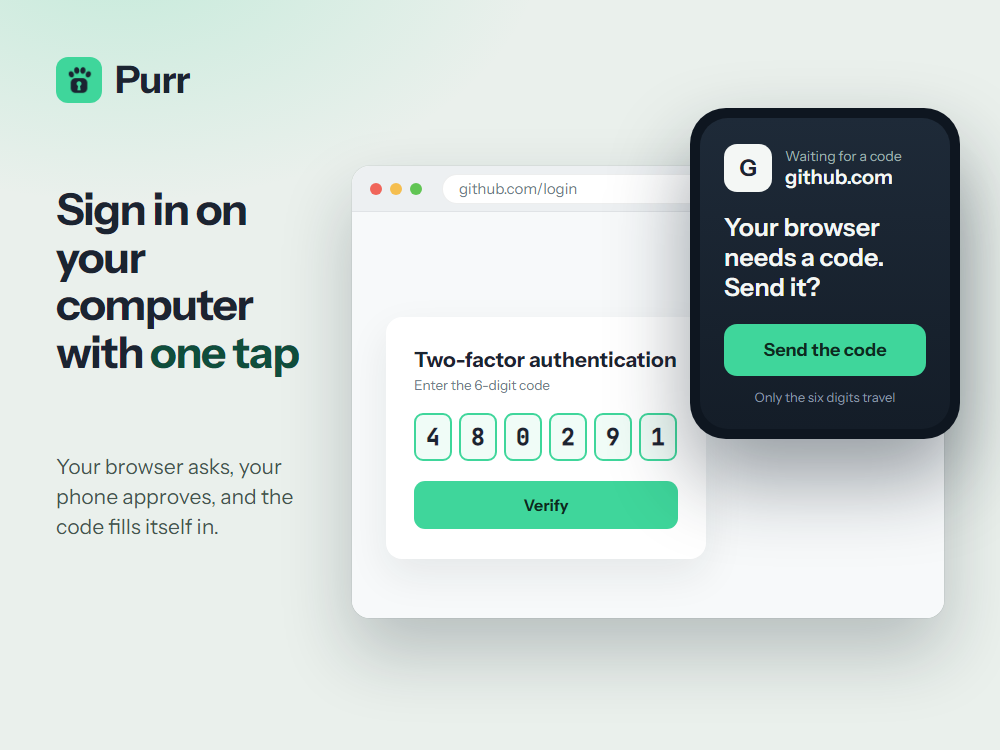
Two factors. Two devices.
Pair once
Scan a QR code. We cannot read what your devices send each other.
Sign in
The extension finds the code box and asks your phone.
Tap to approve
Your phone sends that one code. Everything else stays on it.
Lose the phone
Twelve printed words bring every code back.
How Purr compares
| Purr | Bitwarden | Authy | |
|---|---|---|---|
| No account, no phone number | Yes | Sync needs an account | Phone number required |
| Export your codes | Yes | Yes | No |
| Codes in the browser | Yes | Yes | Desktop ended 2024 |
| Second factor off your computer | Always | Optional | Phone only |
| Price | Free | Paid | Free |
From vendor documentation, August 2026. Features change, so check theirs before deciding. Bitwarden is a trademark of Bitwarden, Inc.; Authy and Twilio are trademarks of Twilio Inc. Purr is not affiliated with or endorsed by either, and their names are used only for factual comparison.
Extension first, then the app
Browser extension
DETECTED: your browserPhone app

iPhone and Android. Free, no account.
Direct APK download →Imports from Google Authenticator, Aegis, 2FAS and Ente.
Questions
Does Purr need an account?
No account, no email, no phone number. It works offline.
Can I export my codes?
Yes. Move your codes to another app at any time, as QR codes or as an encrypted file.
What if I lose my phone?
Twelve printed words restore every code on a new one.
Can you see my codes?
No. Your codes are locked on your phone. What our server passes along is locked too, and we have no key.
Switching from Authy?
Authy has no export, so you add those accounts again from each service. Google Authenticator, Aegis, 2FAS and Ente import directly.
What does it cost?
Nothing. Open source, no ads, no trackers.